What Are Deep Links? Understanding the Basics for Beginners
Discover what deep links are, how deep linking works, and why businesses use them to create smoother user journeys across websites and mobile apps.
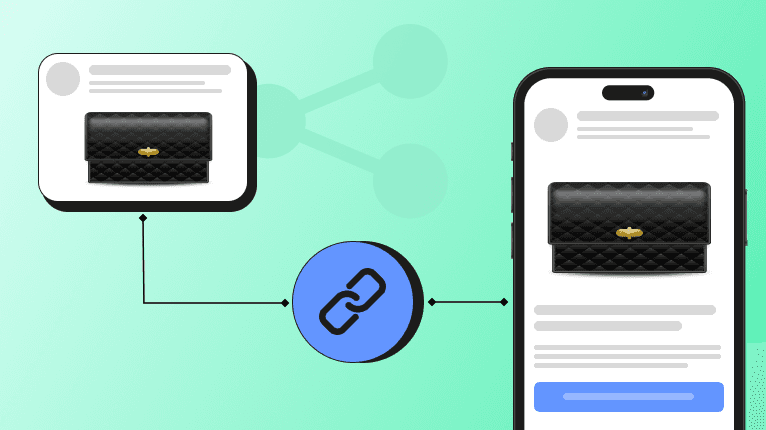
Ever clicked a link expecting to see a product, article, or offer, only to land on an app's homepage and start searching all over again? That's exactly the problem deep links solve. By taking users directly to specific in-app content, deep links reduce friction, improve user experiences and can generate nearly higher conversion rates compared to standard mobile journeys.
Whether you're building an app or running marketing campaigns, understanding how deep links work can help you create smoother user journeys. In this blog, we'll explore what deep links are, the different types of deep links, where they're used and how they compare to other linking technologies.
What Are Deep Links?
Deep links are typically URLs or custom Uniform Resource Identifiers (URI) that bypasses an app's home screen and opens a targeted destination, such as a product page, user profile, checkout screen, article, or promotional offer. Rather than making users search for content after opening an app, deep links eliminate unnecessary navigation and create a faster, more seamless experience. After all, users download apps to get things done and not to play hide-and-seek with a checkout button.
Deep linking is the process of directing users to a specific page, screen, or piece of content within a website or mobile app instead of sending them to a generic homepage. In simple terms, a deep link acts like a shortcut. It takes users exactly where they want to go with a single click. Think of it as taking the elevator straight to the right floor instead of wandering through every hallway looking for the right door.
In mobile apps, deep linking uses platform-specific technologies to route users directly to in-app content. For example, tapping an Instagram link from a webpage or promotional email can open the Instagram app directly to a specific post, profile, or Reel instead of the app's main feed. This reduces friction, shortens the path to the desired content and helps users complete their intended action more quickly.
Deep Links vs. Regular URLs
Although both regular URLs and deep links are clickable links, they serve different purposes:
- Regular URLs open a website's homepage or another top-level page, requiring users to navigate manually to find the content they need.
- Deep links take users directly to a specific webpage or in-app screen, such as a product page, article, or checkout screen.
By routing users to their intended destination in a single click, deep links provide faster, more contextual navigation across websites and mobile apps. For startups, using a managed deep linking platform can also reduce the time and cost of maintaining deep linking infrastructure, allowing them to focus on delivering better app experiences instead.
Deep Link Definition for Developers
A deep link is a URL that takes users directly to a specific page, screen, or piece of content within a website or mobile app instead of a generic homepage. For example, a deep link can open a product page, user profile, article, or checkout screen with a single click.
Simple Example for Deep Links
Imagine you're browsing LinkedIn and come across a post promoting a new fitness tracking feature in your favorite fitness app. The post includes a "Try it Now" button, promising personalized workout insights and progress tracking. Curious, you click it.
Without a deep link, the app simply opens on its home screen. You then have to sign in, navigate through the menus, and search for the new fitness tracking feature yourself. It only takes a few extra taps, but those small interruptions quickly add up.
With a deep link, the experience is much smoother. Clicking the same button opens the app directly on the new fitness tracking feature. No extra taps. No searching.
Types of Deep Links
Different deep links solve different navigation challenges, from opening webpages to routing users after installation or personalizing their experience.
Web Deep Links
Web deep links direct users to a specific page or piece of content within a website instead of its homepage. For example, clicking a search result for a blog article takes you directly to that article rather than the website's main landing page. This shortens the path to information and improves the overall browsing experience.
Mobile App Deep Links
Mobile app deep links use URLs to open specific content inside a mobile app instead of the app's home screen. Instead of requiring users to browse through menus, these links open the exact screen they intended to visit.
Standard Deep Links
Standard deep links work only when the target app is already installed on a user's device. If the app is available, the link opens the intended in-app screen immediately. If the app isn't installed, however, the link cannot complete the journey and typically results in an error or redirects users to a fallback webpage if one has been configured.
Deferred Deep Links
Deferred deep links solve the biggest limitation of standard deep links by working even when the app isn't installed. When users click a deferred deep link, they are first redirected to the App Store or Google Play Store to install the app. After launching the app for the first time, they are automatically taken to the exact content they originally intended to visit.
Contextual Deep Links
Contextual deep links pass additional user or campaign information to personalize the destination experience. In addition to directing users to a specific destination, they carry metadata such as referral sources, campaign IDs, promo codes, user preferences, or discount offers. When the app opens, this information is used to deliver a customized experience, making contextual deep links especially valuable for marketing campaigns, referral programs and personalized onboarding.
Where Are Deep Links Used?
As they simplify navigation, deep links have become a core part of mobile apps, ecommerce, enterprise software and digital marketing.
Marketing
In marketing, deep links use custom URLs to take users directly to a specific product, promotion, or in-app screen instead of a mobile website or app homepage. This reduces friction between discovery and conversion, making it easier for users to act on advertisements, emails, SMS campaigns, and push notifications. In affiliate marketing, deep links also embed affiliate tracking IDs, ensuring publishers receive credit while sending shoppers directly to the recommended product or category page.
Mobile Application Development
Modern development frameworks such as Flutter, React and Angular all support deep linking to improve application navigation. Rather than opening an app's default home screen, deep links route users directly to a specific product page, article, user profile, settings page or other targeted destination.
Enterprise Applications
Deep linking is equally valuable in enterprise software. Platforms such as Oracle APEX, Oracle Fusion and Power Apps use direct URLs to open specific application pages, business records, reports, workflows, or transactions. Instead of navigating through multiple dashboards and menus, users can access the exact information they need with a single click, saving time and improving productivity.
Ecommerce
On Amazon, deep links send shoppers directly to a specific product, category, or storefront inside the Amazon mobile app instead of the homepage or mobile browser. Whether shared by affiliates, creators, or brands, these links shorten the path to purchase. Fewer clicks mean less hesitation and often, more completed checkouts.
Deep Links vs Universal Links
A universal link is simply Apple's specific, secure version of a traditional deep link. While deep linking is a broad term for directing a user to specific in-app content, universal Links use standard HTTPS web URLs to gracefully route users to either the app or a website based on their device state.
Why Are Deep Links Important?
Deep links improve app user experience by removing unnecessary steps between user intent and the desired destination. Instead of opening an app's homepage and making users navigate through multiple screens, deep links take them directly to a product, article, profile or checkout page.
For ecommerce apps, deep links remove navigation friction by sending shoppers straight to product pages, limited-time offers or checkout screens. By instantly fulfilling user intent, businesses can achieve significantly higher conversion rates and reduce cart abandonment.
Steve Krug's famous usability principle, "Don't make me think," to an extent explains why deep links matter. Users click links expecting to reach a destination and not to navigate through multiple screens to find it.
Deep links also support user acquisition by:
- Routing users through the App Store or Google Play Store
- Preserving the intended destination after installation
- Creating a seamless onboarding experience
- Reducing drop-offs between discovery and activation
To implement deep linking in a mobile app, developers typically configure custom URL schemes alongside Android App Links or Apple Universal Links. Businesses often simplify deployment and campaign management using dedicated top deep linking platforms like Openlynk. If you're looking to get started without building and maintaining the infrastructure yourself, you can create a free OpenLynk account and start creating deep links in minutes.
Conclusion
At their core, deep links help users reach the right content with fewer clicks and less friction. Choosing the right type of deep link depends on your app, website, and business goals, but the objective is always the same: create a seamless user journey.
According to Google, ad clicks that land directly in an app deliver, on average, 2.8x higher conversion rates than clicks that land on a mobile website, highlighting the value of seamless deep linking. After all, the fastest journey is usually the one people actually finish.
Jonas
Developer